
🏛️ Why Your Université Laval Diploma Needs a Digital Strategy
Université Laval, a prestigious institution in Quebec City, represents a significant milestone in your professional journey. However, physical paper is susceptible to environmental damage, loss, or wear over time. By creating a high-fidelity digital replica, you transition your physical achievement into a versatile digital asset.
Transitioning to digital files allows for instant verification by employers and educational institutions. Furthermore, a well-preserved digital document acts as a “master copy” should you ever need to request a formal replacement or restoration of the physical original.
📸 Best Practices for Scanning and Digitization
To ensure your digital file is professional and accurate, the scanning process must be meticulous. Follow these steps to achieve the best results:
🔍 1. Optimize Your Hardware Settings
Do not rely on mobile phone “scanner apps” for your primary archive. Use a flatbed scanner to avoid perspective distortion. Set your resolution to at least 300 DPI. If your diploma features intricate gold foil or security micro-text, 600 DPI is recommended to capture those specific textures clearly.
🎨 2. Color Calibration and Lighting
Ensure the scanner glass is free of dust. Scan in 24-bit color even if the document appears mostly black and white. This captures the subtle cream tones of the parchment and the vibrant red and gold of the Université Laval seal.
📁 3. Choosing the Right File Formats
-
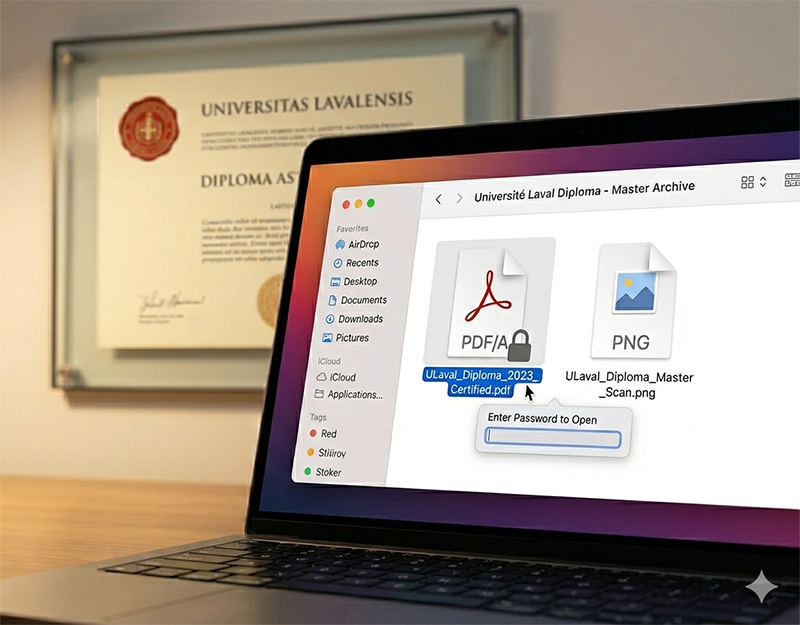
PDF/A: This is the gold standard for archiving. It ensures the file can be opened decades from now regardless of software updates.
-
High-Resolution PNG: Excellent for maintaining clarity without compression artifacts.
-
JPEG: Ideal for uploading to online application portals where file size limits apply.
🛡️ Ensuring Long-Term Security and Accessibility
Once your document is digitized, the next challenge is ensuring it remains safe from data corruption or unauthorized access.
🔐 Implementing Password Protection
Your diploma contains personal data, including your full name and graduation date. Use the “Protect” feature in Adobe Acrobat or similar tools to add a password. This prevents identity theft if your cloud storage is ever compromised.
☁️ The 3-2-1 Backup Strategy
Reliability is key to digital preservation.
-
3 Copies: Keep the original scan and two backups.
-
2 Different Media: Store one on your computer’s hard drive and another on an encrypted USB drive.
-
1 Offsite: Use a secure cloud service like Google Drive or Dropbox for the final copy.
🛠️ Organizing Metadata for SEO and Personal Sorting
If you manage multiple academic documents, proper naming conventions and metadata are essential. For your own records, use a clear format:
YYYY-University-Laval-Diploma-Name.pdf
In the context of WordPress or personal portfolios, adding Alt Text and metadata helps in organizing your media library. This ensures that when you need to search for the document, it is indexed correctly within your internal system.
❓ Frequently Asked Questions (FAQ)
Q: Can I use a digital copy of my Université Laval diploma for official visa applications?
A: Most institutions require a “Certified True Copy” or a direct digital verification from the university. However, a high-quality digital scan is often the first step in the preliminary review process.
Q: How do I handle the gold foil seal when scanning?
A: Gold foil can sometimes reflect light and appear black in scans. Use a scanner with “CCD” technology rather than “CIS” for better depth of field, or slightly adjust the brightness/contrast settings to capture the metallic sheen.
Q: Should I crop the edges of the diploma?
A: No. Always leave a small margin around the edges of the document. This proves that the entire document was captured and nothing was hidden or edited out.